

Getting Started with Character Creation
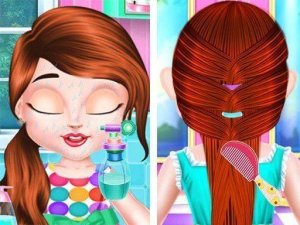
When players first open Style Creator Studio, they choose a base figure from several available options. This starting point determines the general shape and proportions of the character. After making that selection, users can adjust facial features, skin tones, and hair colors to build a personalized foundation. The interface uses large, clearly labeled buttons and simple drag-and-drop actions, making it easy for young children to participate without frustration. Each step is presented one at a time, so newcomers never feel overwhelmed by too many choices at once.
Building Outfits for Every Occasion
The wardrobe section offers a wide range of clothing items, including tops, bottoms, dresses, shoes, and outerwear. Players can browse through categories or scroll through the full collection. Each item can be previewed on the character before making a final decision. The game includes themed prompts, such as a day at the park or a birthday party, which can guide outfit selection. However, users are free to ignore these suggestions and create whatever combination they like. Accessories like hats, glasses, jewelry, and bags add extra personality to each look.
Exploring Colors and Patterns
Beyond basic clothing choices, Style Creator Studio encourages experimentation with color palettes and fabric patterns. Many garments can be recolored using a simple picker tool, allowing players to match shades or create bold contrasts. Patterns such as stripes, polka dots, florals, and geometric designs can be applied to selected items. This feature helps children understand how different colors work together and how patterns can change the feel of an outfit. The game provides instant visual feedback, so users can see the effect of each change immediately.
No Rush, No Wrong Moves
One of the defining aspects of Style Creator Studio is its complete lack of time pressure or performance evaluation. There are no levels to complete, no scores to beat, and no penalties for trying unusual combinations. This design philosophy supports a stress-free environment where creativity can flourish. Players can spend as long as they like on a single character, undoing and redoing choices without consequence. The game rewards curiosity and patience, making it suitable for children who prefer a calm, self-paced activity.
Accessible Across Devices
Because Style Creator Studio runs entirely in a web browser, it works on desktop computers, laptops, tablets, and smartphones. No downloads, installations, or account registrations are required. The layout automatically adjusts to different screen sizes, ensuring buttons and menus remain usable on smaller touch screens. This cross-platform compatibility means children can play at home on a family computer or on a tablet during a car ride. A full-screen mode is available to minimize distractions and immerse players in the design process.








Comments
0 comments