

Creative Sound Layering
At the heart of Melody Maker Studio is a system that lets users stack different audio elements. Each sound icon represents a distinct instrument or effect. By placing these onto a grid, players build complex rhythms and melodies piece by piece. The process feels intuitive, as each addition immediately plays, allowing for real-time adjustments. This approach removes the intimidation often associated with music production tools.Visual Feedback & Interaction
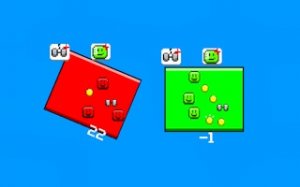
Characters on the screen react to the sounds assigned to them, providing clear visual cues. This feedback loop helps players understand how different layers interact. The design keeps the focus on creativity rather than technical skill. Users can see their musical structure grow as they add more elements, making the experience both educational and satisfying.Browser-Based Accessibility
Because it runs entirely in a web browser, Melody Maker Studio requires no installation or account setup. This makes it easy to jump into a session from any device with internet access. The lightweight design ensures smooth performance even on older computers. Players can save their creations locally or share them with friends, though the primary appeal is the spontaneous, no-commitment nature of each session.Exploration Without Rules
There are no timers, scores, or predefined goals. The environment encourages open-ended play, where the only objective is to enjoy the process of sound discovery. Hidden combinations may trigger special audio loops, rewarding curiosity. This structure appeals to both young children learning cause and effect and adults seeking a relaxing creative outlet. The absence of failure conditions makes it a safe space for musical trial and error.Compatibility
✅ Works on PC & Mobile | Recommended: Chrome / Safari / Edge











Comments
0 comments