MultiRacer Hub

Details

GT Cars Ramp Driving Arcade Game

GT Cars Ramp Driving Arcade Game

Developer: Royal Ember Games
Published: 2025-05-22
Updated: 2026-07-04
Driving Arcade

Reviews

GT Cars Ramp Driving Arcade Game delivers a fun driving experience with its focus on ramps and stunts. The multiple game modes offer variety, from competitive races to obstacle courses. Car customization adds a personal touch, and the two-player option makes it great for playing with friends. The tracks are creatively designed with ramps and obstacles that require precision. It's a solid choice for arcade racing fans.

About this game

Game Introduction

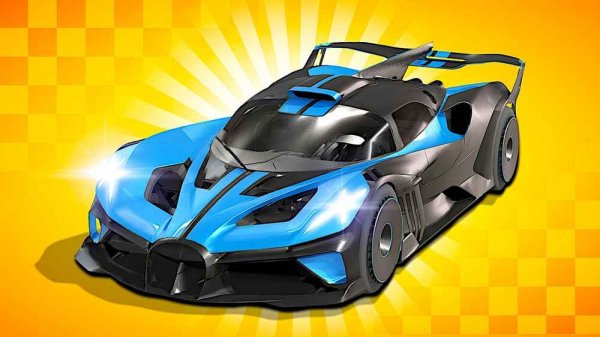
GT Cars Ramp Driving Arcade Game is a driving experience where players take control of high-performance sports cars. The core objective is to navigate through challenging tracks featuring massive ramps, dynamic obstacles, and competitive races. What makes this game unique is its focus on ramp-based stunts and the variety of driving scenarios, from head-to-head races to obstacle-filled courses. Players aim to master each track and become a top driver.

How to Play

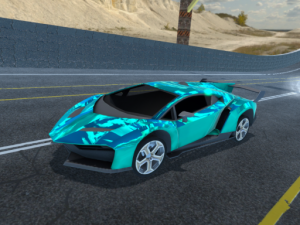
Players typically start by selecting a game mode and choosing between single-player or two-player options. Before racing, they can customize their car’s appearance, including color, window tint, wheel design, and light colors. In races, the goal is to outpace opponents while avoiding crashes and obstacles. Some modes require careful timing to launch off ramps and perform stunts, while others demand quick reflexes to avoid falling off the track. Staying alert and making smart driving decisions are key to success.

Game Features

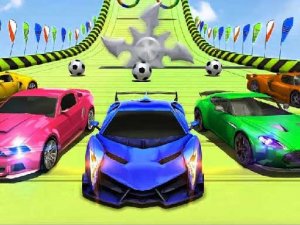
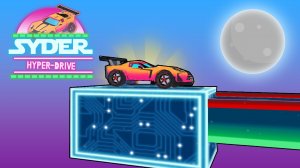
The game includes multiple modes that offer different types of challenges, such as side-by-side racing, ramp-based stunt courses, and colorful obstacle-filled tracks. Players can customize their cars with various visual options. Two-player racing allows for competitive play with friends. The tracks feature creative designs with ramps, rolling obstacles, and geometric shapes that require precise driving. The game’s stylized graphics and varied gameplay keep each session engaging.

Tips for Success

To improve your performance, practice each mode to learn the track layouts and obstacle patterns. In racing modes, focus on maintaining speed while avoiding collisions. When driving on ramps, time your speed and direction carefully to land safely. In obstacle-heavy courses, slow down when necessary to navigate tight spots. Playing with a friend can help you learn new strategies and make the experience more enjoyable. Regular practice will help you master the controls and become a more confident driver.

Compatibility

▸ Desktop: Chrome / Edge / Firefox / Safari
▸ Mobile: iOS Safari / Android Chrome
▸ Tablet: iPadOS Safari / Android Tablet Browser
Keep your browser updated for the best experience
Advertisement

Faq

Can I play GT Cars Ramp Driving Arcade Game on mobile devices?
The game is designed as an arcade driving experience and may be available on various platforms. Check your app store or game platform for compatibility with your device.
Are there different difficulty levels in the game?
The game likely offers varying challenges through its different modes and tracks. Players can start with easier courses and progress to more complex ones as they improve their driving skills.
Does the game have a story mode?
The game focuses on arcade-style driving challenges rather than a narrative story. Players engage in races and stunt courses without a storyline, emphasizing gameplay over plot.
How many cars can I choose from in GT Cars Ramp Driving Arcade Game?
The game includes high-performance sports cars for players to drive. The exact number of available vehicles may vary, but customization options allow for personalized appearances.
Is there a time limit in the racing modes?
Some modes may include time-based challenges, while others focus on completing laps or reaching the finish line. The specific rules depend on the mode selected.
Can I play with friends online?
The game supports two-player racing, which may be local or online depending on the platform. Check the game's settings for multiplayer options.

Leave a Comment