MultiRacer Hub

Details

Limitless 3D Racing Arcade

Limitless 3D Racing Arcade

Developer: Rainbow Core Studio
Published: 2026-04-15
Updated: 2026-06-11
Driving Arcade

Reviews

Limitless 3D Racing Online Game delivers engaging RC car racing with a strategic twist. The 10 tracks offer variety, and unlocking 12 cars keeps you motivated. Power-ups add excitement, while the split-screen Versus mode enhances replayability. Controls are intuitive, making it easy to pick up. The family-friendly design ensures worry-free play. A solid choice for quick gaming sessions or extended fun.

About this game

Game Introduction

Limitless 3D Racing Online Arcade Game is a browser-based racing experience that puts you in control of radio-controlled cars across 10 colorful tracks. Developed by Atomicode, this game focuses on speed and strategy, offering a family-friendly environment suitable for all ages. With no downloads required, you can jump into the action instantly and enjoy a blend of racing and power-up collection.

How to Play

Players control their cars using keyboard controls: Player 1 uses arrow keys to throttle, brake, and turn, with Right Ctrl to fire weapons, Right Shift to flip the car, and Enter to reset position. Player 2 uses W, S, A, D for movement, Left Ctrl to fire, Left Shift to flip, and Caps Lock to reset. The goal is to be first across the finish line. Collect power-ups along the track for speed boosts or weapons to slow down opponents. Mastering each track unlocks new cars and challenges.

Game Features

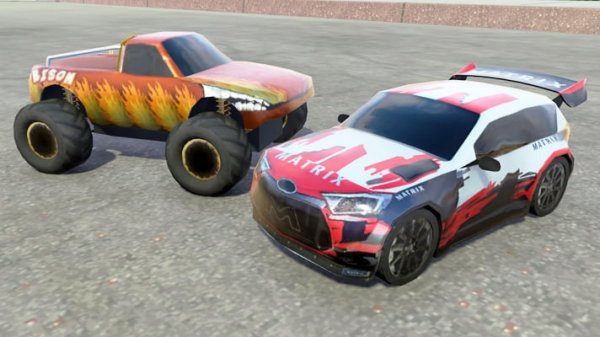
Features include 12 unlockable cars with unique styles, 10 vibrant tracks with varied layouts, and power-ups that provide speed boosts and shooting abilities. Split-screen Versus mode allows two-player racing on the same device. The game boasts 3D graphics optimized for browser play, family-friendly content with no violence, and quick session design for short or extended play.

Tips for Success

To succeed, practice mastering each track to learn optimal racing lines and power-up locations. Use power-ups strategically—speed boosts can help you pull ahead, while weapons can disrupt opponents at key moments. Unlock all 12 cars by completing tracks, and experiment with different vehicles to find one that suits your driving style. In Versus mode, anticipate your opponent's moves to gain an edge.

Compatibility

✅ Works on PC & Mobile | Recommended: Chrome / Safari / Edge
Advertisement

Faq

Is this game free to play?
Yes, as a browser-based online game, it is typically free to play with no download required. Some optional in-game purchases may be available, but the core racing experience is accessible without any payment.
Can I play this game on mobile devices?
The game is designed for browser play, so it may work on mobile devices with a compatible browser, but it is optimized for desktop use. Keyboard controls are required, which may be challenging on touchscreens.
What age group is this game suitable for?
The game is family-friendly with no violence, making it suitable for all ages. The simple controls and colorful graphics appeal to younger players, while the strategic power-up system offers depth for older gamers.
How do I unlock new cars?
New cars are unlocked by mastering each track. As you complete races and improve your performance, you will gradually unlock all 12 vehicles, each with a distinct look. There is no specific requirement other than playing and progressing.
Is there a single-player mode?
Yes, the game can be played alone against AI opponents or in time trial style. The split-screen Versus mode is for two players, but single-player racing is available to practice tracks and unlock cars.
What happens if my car flips over?
If your car flips, you can use the flip key (Right Shift for Player 1, Left Shift for Player 2) to right it. Alternatively, you can reset your position using the Enter key (Player 1) or Caps Lock (Player 2) to continue racing.

Leave a Comment