
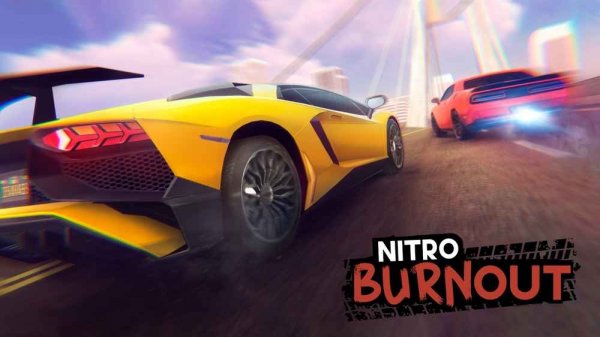
Game Introduction
Nitro Speed Racing Simulator places you in the driver's seat of high-performance vehicles within a realistic driving environment. The game emphasizes precision steering, controlled speed, and extensive vehicle personalization. Its physics engine mimics real-world car behavior, responding to every turn and throttle adjustment. Players navigate through neon-lit city streets, open desert highways, and winding mountain passes, all rendered in high-definition graphics. The experience includes both open-road sprints and precision drift trials, each designed to challenge reflexes and creativity. Every track presents unique obstacles and terrain, ensuring that each race feels distinct. The core objective is to complete courses efficiently while mastering vehicle control. What sets this game apart is its blend of authentic driving mechanics with accessible controls, making it suitable for both casual players and driving enthusiasts. The game rewards practice and precision, offering a satisfying progression as players improve their skills. Whether you aim for the fastest lap times or the most stylish drifts, the game provides a platform to test and refine your abilities.
How to Play
Players control their vehicle using standard keyboard inputs, typically the WASD or arrow keys for movement. Additional functions include a hand brake for sharp turns, a repair feature to restore vehicle condition, and an option to reset position if stuck. A drift mode can be activated for specialized maneuvers. Players can toggle music and adjust driving aids such as anti-lock brakes and stability control to match their comfort level. Nitro boosts provide temporary speed increases and are activated with a dedicated key. The in-game menu allows access to settings, a map view, and a garage for vehicle modifications. Performance feedback is provided after each run, helping players identify areas for improvement. Mastering the combination of throttle control, braking, and steering is essential for success. The game encourages experimentation with different control settings to find the optimal configuration for each player's style.
Game Features
The game includes a dynamic physics engine that simulates real-world car behavior, providing an authentic driving feel. A customization garage allows players to swap engines and adjust performance tuning. Multiple game modes include street races and drift challenges, each testing different driving skills. High-definition environments feature varied lighting and weather effects, creating immersive visuals. Adjustable driving aids help players of different skill levels enjoy the game. Nitro boosts add a strategic element, allowing for bursts of speed at key moments. The game's design emphasizes both competitive racing and creative expression through vehicle modification.
Tips for Success
Focus on mastering drift techniques to navigate tight corners more effectively. Experiment with different vehicle setups in the garage to discover what suits your driving style. Use nitro boosts strategically, particularly on straight sections of track. Gradually adjust driving aids as you become more comfortable, balancing control with performance. Regular practice will help you learn track layouts and improve your reaction times. Pay attention to the feedback provided after each run to identify specific areas for improvement.







Comments
0 comments